Hablo — meet new friends, nearby
A location-aware social app that turns real-world proximity into meaningful conversations — live on Google Play and the App Store.
- Jun 2026
- Play Store launch
- iOS + Android
- Platforms
- 13
- Languages
Background
Most social products are content-heavy and not optimized for in-the-moment local interactions. People in the same place — an airport, cafe, coworking space, or event venue — often miss high-value connections because there is no lightweight way to express intent and start a relevant conversation quickly.
Hablo was built to solve that gap.
Problem statement
Users need a faster, clearer way to:
- discover people around them
- signal why they are open to connect
- move from discovery to conversation without friction
Goals
Product
- Build a mobile-native local discovery experience
- Enable meaningful, intent-aware social interactions
- Increase conversion from discovery to conversation
Experience
- Keep the loop simple: discover → check in → chat
- Reduce cognitive load through clear UI states
- Make map and list discovery equally usable
Trust
- Include strong moderation and privacy foundations early
- Align legal and policy surfaces with app-store standards
Approach
Discovery model
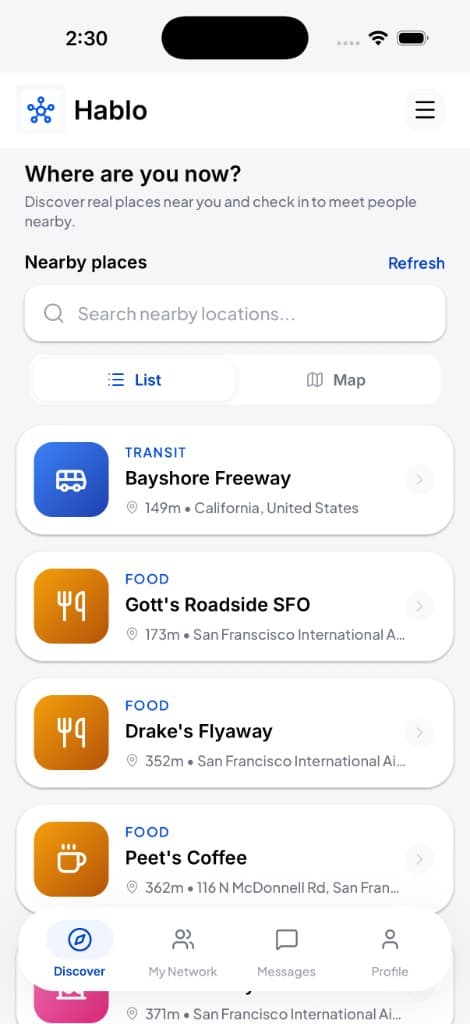
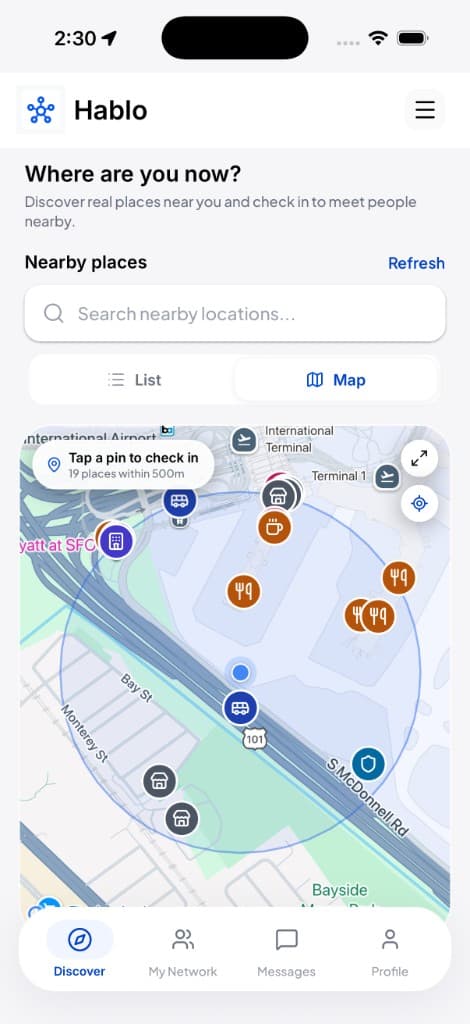
- Dual interface: list view + map view
- Proximity-based place discovery with geospatial filtering
- Context-rich place cards (category, distance, address)
Social model
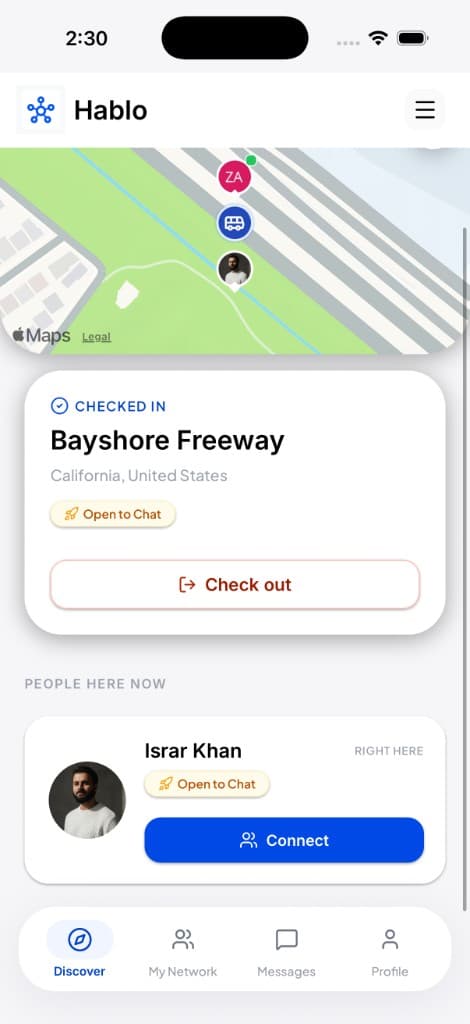
- Place-based check-ins with status/intent signaling
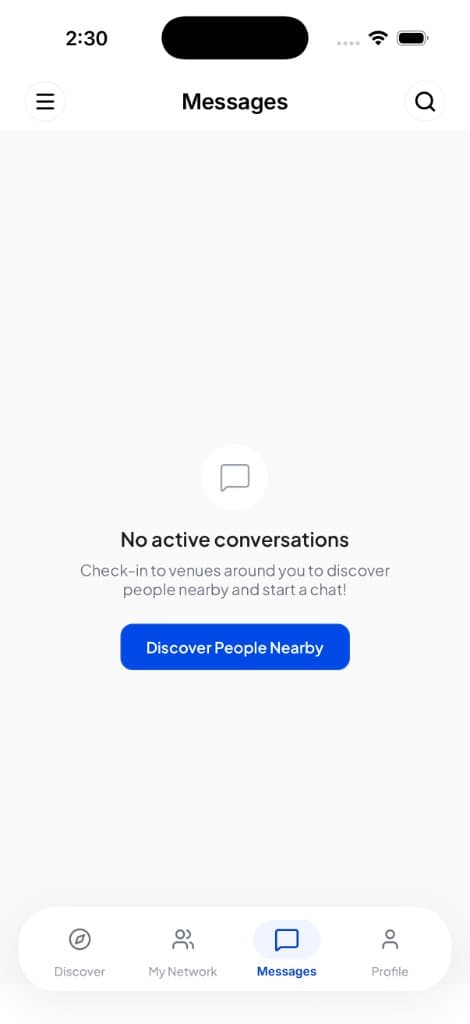
- Real-time 1:1 messaging for immediate connection
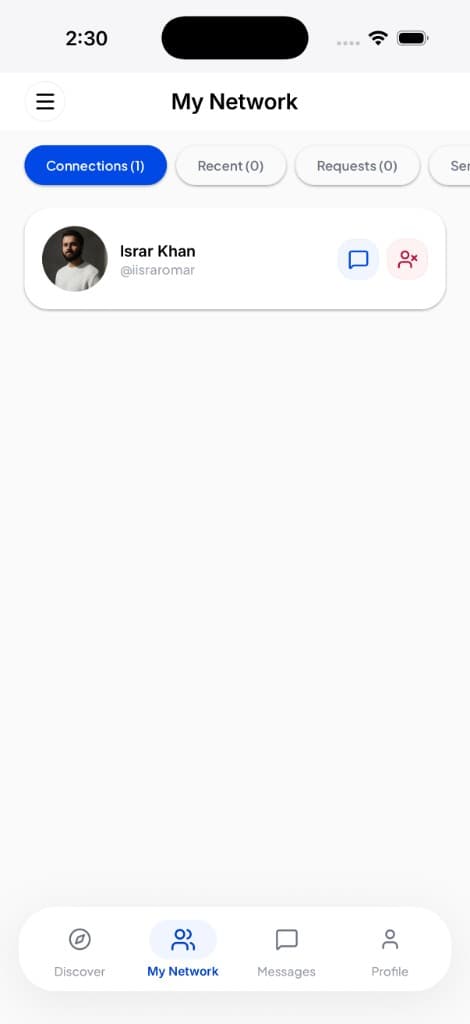
- Recent-connections retention for continuity after moving away
Reliability model
- Realtime event-driven sync
- Session hardening and safe startup handling
- Push notification plumbing for engagement
UX and design decisions
Keep interaction intent visible
Intent badges reduce ambiguous outreach and improve relevance of new conversations.
Prioritize map + list parity
Users have different discovery behaviors. Supporting both modes improved usability across phone and tablet contexts.
Optimize tablet layouts
Card and header patterns were adjusted for iPad to prevent broken wrapping, uneven grid rhythm, and poor map utilization.
Unify brand identity surfaces
A shared wordmark component ensures the same logo-text style is reflected across header and drawer UI.
Technical implementation
React Native + Expo + TypeScript on the client; Supabase (PostgreSQL, Auth, Realtime, PostGIS, Storage) on the backend; TanStack Query + MMKV + React Context for state; NativeWind token system for styling; EAS build pipeline with native prebuild workflow for release.
Compliance and trust readiness
- Hosted legal pages (privacy, terms, account deletion, child safety)
- Store listing compliance assets (icon, feature graphic, screenshots)
- Safety baseline: block/report, policy-aware architecture, and RLS-backed access controls
Key challenges and solutions
Native dependency instability during Android release builds
Issue
JitPack returned 403 Forbidden for com.github.Dimezis:BlurView, blocking :app:releaseRuntimeClasspath resolution and failing EAS Gradle builds.
Solution
Built BlurView from source, committed a vendored AAR (vendor/android/blurview/BlurView.aar), and added a prebuild config plugin (withAndroidBlurViewVendor) that copies the AAR into the blur module and replaces the JitPack dependency. A follow-up fix exposed during local validation: flatDir had to be declared at the root allprojects repositories level — a submodule-only repo let :react-native-community_blur compile but still broke :app transitive resolution.
Responsive UI inconsistencies on tablet
Issue
Dynamic list/grid and long text wrapping caused layout breakage — overlapping cards during loading, uneven row heights in 2-column grids, and map preview leaving large empty gaps on iPad.
Solution
Keyed remount strategy for FlatList numColumns changes, redesigned venue cards with min-height and vertical tablet layout, dedicated full-bleed map mode on tablet, and consistent header top spacing across Discover / Messages / My Network.
Startup/session reliability
Issue
Session hydration edge cases left the app stuck on the splash screen or in inconsistent auth state — stale MMKV user while Supabase session was invalid, hung getSession() during token refresh, and a broken onRehydrateStorage callback that referenced the auth store during Zustand create() (temporal dead zone).
Solution
Removed the broken persist callback, restored explicit hydrateSession() on app mount, added getSessionWithTimeout() with stale refresh-token detection and local signOut, and gated push-notification registration until hydration completes and a live session exists.
Release builds crashing on launch (missing env at bundle time)
Issue
TestFlight and some local APK/AAB builds crashed immediately on launch with Missing Supabase URL or anon key — .env worked in dev but EAS cloud builds did not receive secrets until eas env:push, and local release builds often omitted NODE_ENV=production, so EXPO_PUBLIC_* vars were not inlined into the JS bundle.
Solution
Pushed production secrets to EAS, documented eas env:pull for local parity, prefixed local release scripts with NODE_ENV=production, and added a bundle verification grep step to confirm the Supabase project id appears in index.android.bundle before installing.
App icon and asset pipeline failures across platforms
Issue
In-app and launcher icons were a JPEG saved with a .png extension — iOS rendered a white square after masking; Android AAPT rejected the asset at mergeReleaseResources. Splash, adaptive icon, and in-app logo also pointed at inconsistent files.
Solution
Re-encoded true PNGs from the SVG master, split assets for native icon / adaptive foreground / splash lockup / Play feature graphic, wired everything through app.config.ts, and consolidated in-app branding to a single assets/icon.png via APP_CONFIG.logo.
Native module version drift between local and EAS
Issue
iOS pod install failed on EAS with Reanimated / Worklets incompatibility (Worklets 0.8.3 vs Reanimated 4.4.0) because caret ranges resolved differently on the build worker than locally.
Solution
Pinned exact versions in package.json (react-native-reanimated, react-native-worklets) and treated lockfile + cloud parity as a release gate.
New Architecture codegen ordering on EAS Android
Issue
With React Native New Architecture enabled, EAS Android builds could run CMake/native configure before autolinked generateCodegenArtifactsFromSchema, producing intermittent native compile failures.
Solution
Custom Gradle property plugin to disable configuration-cache/configure-on-demand conflicts, plus an explicit gradleCommand in eas.json to run codegen before bundleRelease.
Realtime messaging reliability across navigation
Issue
Chat room subscriptions and unread badge updates only worked after visiting the Messages tab — bottom tabs lazy-mount, so the realtime listener lived inside a screen that was not always mounted.
Solution
Lifted useRooms subscription to Application.tsx so inbox state and postgres_changes events stay active app-wide regardless of active tab.
Push notifications and auth race conditions
Issue
FCM token writes could fire against Supabase while JWT/session state was stale or mid-hydration, causing failed profile updates and confusing logout behavior on Android when refresh tokens expired.
Solution
Gated usePushNotifications behind isAuthenticated && !loading && !isPasswordRecovery, validated live session before persisting tokens, switched profile token updates to .update() instead of .upsert(), and hardened getSessionWithTimeout to clear invalid refresh tokens locally.
Store compliance without bloating the app bundle
Issue
Full in-app legal copy for 13 locales added significant JS bundle weight; Google Play and Apple also required hosted privacy/terms/deletion URLs and child-safety documentation for a social-category app.
Solution
Linked Privacy and Terms to client-hosted web pages, kept Account Deletion in-app (Play requirement), seeded deletion strings across all locales, and centralized URLs in src/constants/legal.ts with matching docs/legal/* web copy.
Expo CNG migration and native drift
Issue
Bare React Native ios/ / android/ folders diverged across machines after manual plist/Gradle edits, making releases brittle and blocking OTA for JS-only fixes.
Solution
Migrated to Expo CNG + EAS: app.config.ts as source of truth, config plugins for Firebase badge clear, FCM notifications, Android resolution strategy, ProGuard rules, and iOS symbol stripping — with expo prebuild --clean regenerating native projects on every release path.
Outcomes
- Google Play release live (first public version, Jun 2026)
- App Store release live for iPhone
- Stable MVP flow from discovery to chat
- Cross-platform UI consistency improved across phone and tablet
- Brand system unified across app surfaces
- Store listings live with screenshots, feature graphic, and Data Safety disclosures
- Local + cloud release pipeline validated
Product in the hand
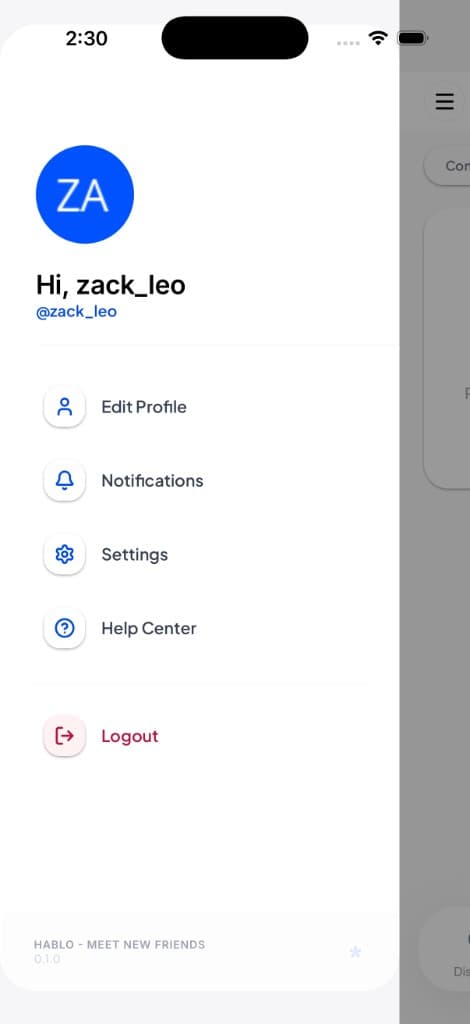
Key screens from discovery through conversation — each designed to keep the discover → check in → chat loop fast and clear.
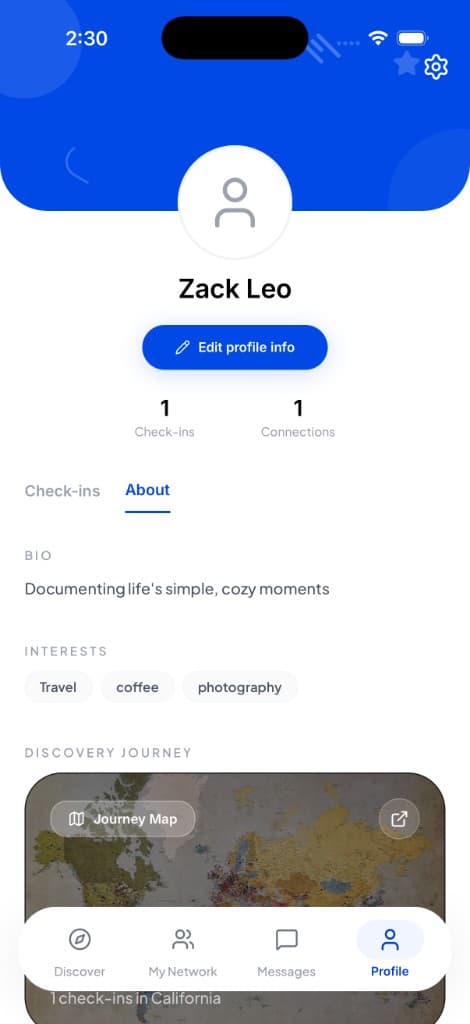
Scroll to explore the product
What's next
- Pilot launch and user feedback loop
- Conversion and retention instrumentation
- Expanded social graph and recommendation layers
- Post-MVP features after validation
Building a location-aware or social mobile product?
We help teams go from product strategy through engineering, compliance, and store delivery — with the same rigor we applied to Hablo.